Skip to content

Help your child
grow up safer online.

Practical guidance and parental control tools to help you navigate your child’s digital world, one step at a time.

A mother and two children looking at a phone together on a sofa
More connection. Better conversations.Online safety starts with you.

You don’t have to figure it all out today.

Start with what your family needs right now.

“I’m not sure where to begin.”

Take stock of four everyday habits. Choose one small change you can make together this week.

Start with the family checklist

“I’m ready for more support.”

See how Bark’s app, phone, and watch fit different needs, from an existing device to a first phone.

Find a Bark option to explore

Parental controls work best alongside clear boundaries and regular conversations. No tool catches everything.

A safer online routine starts at home.

Tick the habits you already have in place. Then choose your next step. You can do this together with your child.

This is a conversation starter, not a safety assessment. Your answers stay on this page and reset when you leave.

A family reviewing a tablet together
Your family checklist0 of 4 in place

Start with one step: choose a place outside the bedroom to charge devices tonight.

Get practical tips for each step

A little backup for your digital parenting.

Bark offers a few ways to add parental controls. Start with the device your child needs.
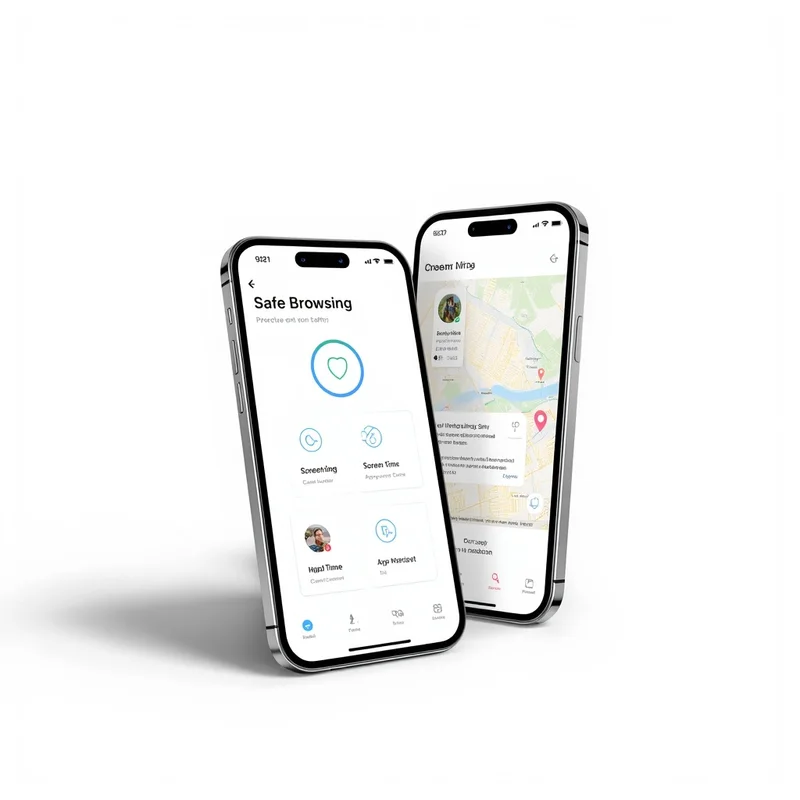
Illustration of two iPhones showing sample privacy and location screens
Illustrative iPhone screens.

Our affiliate relationship: KidShield Online is a Bark affiliate. We may earn a commission if you buy through our links, at no extra cost to you.

For a device your child already has

Bark App

Add parental controls to a compatible phone or tablet your family already owns.

  • Screen time schedules
  • Website and app blocking
  • Alerts for supported content

Coverage varies by device and connected account. iPhone content monitoring needs additional setup; check Bark’s current iOS requirements.

Explore the Bark App

For a first or next phone

Bark Phone

Consider a phone with Bark’s parental controls built into the device.

  • Built-in content monitoring
  • Parent-managed controls
  • Settings that grow with your child

Available in the U.S. Device payments and a required wireless plan are separate. Check current plans and coverage with Bark.

Explore the Bark Phone

For staying in touch without a phone

Bark Watch

Keep calling, texting, and location features on your child’s wrist.

  • Calls and text messages
  • GPS location tracking
  • No social media or web browser

A device payment and service plan apply. Check Bark’s current coverage and availability before choosing a watch.

Explore the Bark Watch

Product information checked September 29, 2026 against Bark’s product information. Features, pricing, and availability can change. Confirm your child’s device and apps are supported before signing up.

Small steps.
Useful conversations.

You know your child. Use these starting points to make a plan that fits your family.

Read our first-phone guide

Get the printable first-phone checklist

A father and daughter looking at a tablet together on a sofa

“If something online makes you uncomfortable, you can come to me. We’ll work through it together.”

A conversation you can start today
Before the first phone

Talk through the situations your child needs a phone for, such as getting home from school or contacting you after practice.

  • Decide which contacts and apps you will allow at the start.
  • Agree on charging, school, and bedtime routines before handing over the device.
  • Practice what to do with an unknown message or an unexpected purchase request.

If staying in touch is the main need, compare a watch with a phone before you buy.

Read the first-phone decision guide or work through the printable first-phone checklist.

Make a screen time plan you can keep

Pick a few clear routines you can explain and follow as a family. Start with meals, homework, and bedtime.

  • Choose a shared charging spot outside bedrooms.
  • Give a reminder before it is time to stop, especially during games.
  • Revisit the plan together when school schedules or your child’s needs change.

Use device schedules to support the plan you have discussed.

Review a new app together

Open the app with your child and look at who can contact them, see their posts, and find their location.

  • Review the app’s age requirements and account privacy options.
  • Check messaging, purchases, and location permissions.
  • Find the block and report controls together.

Check the app’s own help center for current settings. Controls and menus change.

Keep the conversation open

Try asking, “Has anything online made you uncomfortable this week?” Give your child time to answer.

  • Thank them for telling you about a difficult moment.
  • Explain which parental controls you use and why.
  • Decide together who else they can go to for help.

Keep checking in during everyday moments, even when there is no problem to solve.

A few questions
you may have.

Clear answers before you choose your next step.

Is KidShield Online part of Bark?

No. KidShield Online is a separate website and a Bark affiliate. We may earn a commission when you buy through our links. Bark provides the products, billing, and product support.

Do I need a paid tool to get started?

You can start with a family agreement and the controls already on your child’s device. Consider a paid tool if you need additional features. Compare those features with your child’s actual device and apps before paying.

Does Bark work the same on iPhone and Android?

No. Monitoring coverage and setup differ. Bark describes additional setup with Bark Sync for iPhone content monitoring. Review Bark’s current device requirements and supported apps before signing up.

Will parental controls catch every problem?

No. Filters and monitoring can miss things or flag something that is harmless. Use them alongside conversations, privacy settings, and regular check-ins with your child.

How do I choose between the app, phone, and watch?

Start with your child’s needs. Explore the app for an existing compatible device, a Bark Phone for built-in phone controls, or a watch if calls, texts, and location are enough. Compare costs, coverage, and features on Bark’s website.

Take the next step for your family.

Explore Bark’s current plans and check what works with your child’s device.

See options at Bark
About our affiliate links

KidShield Online participates in Bark’s affiliate program. If you follow one of our product links and make a qualifying purchase, we may receive a commission at no extra cost to you. We feature Bark as an affiliate partner; this page is not an independent comparison of every parental control product. Bark handles purchases, subscriptions, and product support. We do not claim that any tool can guarantee your child’s safety.

Scroll to Top